Architectural
Coordinated architectural design documentation for the selected HeadStart model.

HeadStart Affordable Licensing
Explore the HeadStart approach, tell us about your proposed site, and work with our team to confirm the right licensing package. Your portal brings the application, agreement, payment status and released project documents together in one place.
Start with an application. HeadStart reviews your project before an agreement or payment is requested.
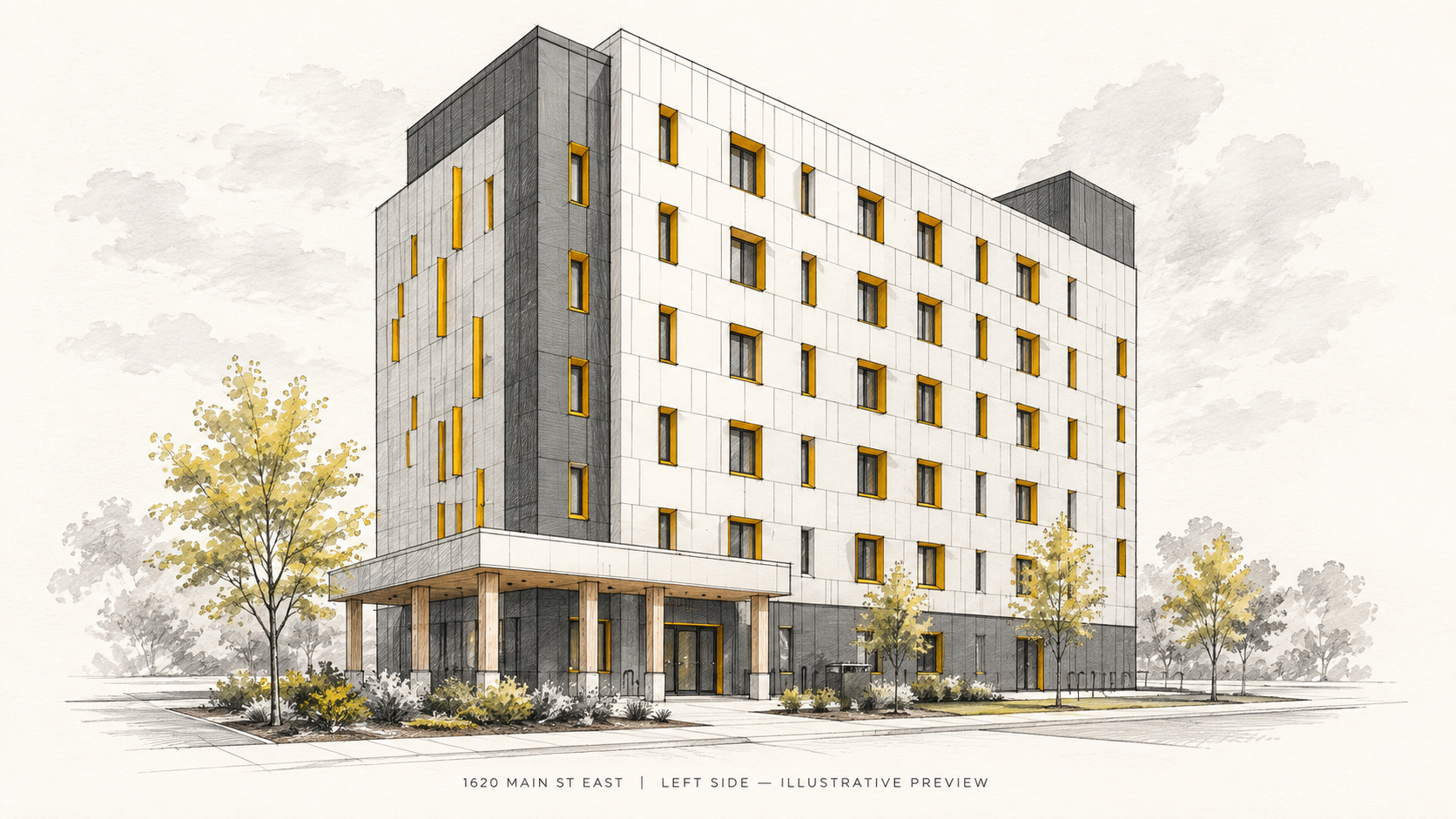
Architectural preview
View an illustrative concept sketch associated with 1620 Main Street East to explore the building’s form and architectural character. For examples of the technical documents available under a licence, speak with the HeadStart team.
Illustrative previews only. Not measured drawings or construction documents. Final deliverables depend on the selected model and executed licence agreement.
Discuss the drawing packageThe package
HeadStart Affordable offers architectural, structural, mechanical and electrical design documentation for the selected HeadStart model. The exact documents, file formats, permitted uses and site-specific licence terms are confirmed with you before signing.
Coordinated architectural design documentation for the selected HeadStart model.
Structural design documentation coordinated with the architectural model.
Mechanical design documentation included within the agreed package scope.
Electrical design documentation included within the agreed package scope.
The licence defines your right to use the supplied design package for the identified site. Site adaptation, local professional review, approvals and additional services must be confirmed separately with HeadStart and your project team.
Your licence price and currency are confirmed before an agreement is issued.
Building in progress
A six-stage aerial sequence of 1620 Main Street East shows the building taking shape, enclosure progressing and the finished exterior emerging.
Start Licensing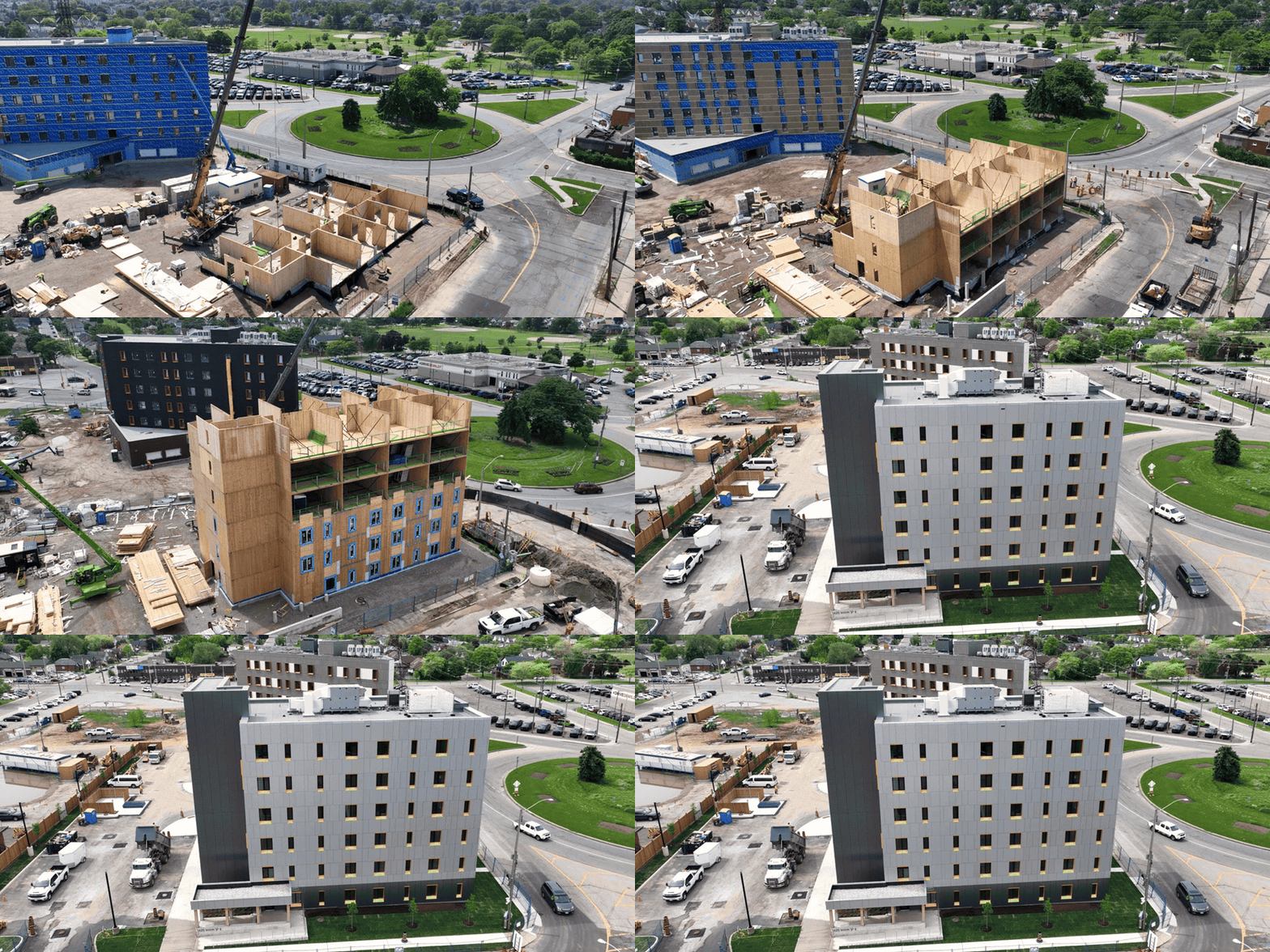
The process
Each licence is associated with a specific organisation, model and site. Here is how the process works.
Create an account and verify your email to access the licensing portal. You can save your application and return to it later.
Your actionCreate and verify your account.
Provide your organisation’s legal name, contact details, proposed site, project objectives, approximate scale and anticipated timeline. Identify the people who will sign the agreement and the billing contact.
Your actionComplete and submit the application.
You do not need to choose a model before making an initial enquiry. If you are unsure, tell us what you are planning.
Our team reviews the information and may request clarification or arrange a conversation about the project. You can view information requests and your application status in the portal.
HeadStart’s actionReview the proposed licensing requirements and confirm next steps.
An application may require revisions, be approved to proceed or be declined. Approval to proceed is not a building permit, an executed licence or permission to use drawings.
Once the application is approved to proceed, HeadStart confirms the model, licensed site, deliverables, price, currency and signing parties. HeadStart then coordinates completion of the licence agreement with the required parties.
Your actionReview the terms and arrange signatures from the authorised people.
The agreement must be fully executed before the transaction progresses to payment.
After the agreement is completed, HeadStart issues the invoice with the confirmed amount, currency and available payment instructions. Payment is verified against your licence transaction.
Your actionPay using an approved method and the correct invoice reference.
A payment submission or receipt screenshot does not by itself unlock drawings. Verification may take additional time depending on the payment method.
The team prepares the agreed documents, applies licence identification to supported files and checks the package against your organisation, site and agreement.
HeadStart’s actionConfirm the package is complete and ready for release.
PDF watermarking and native model-file preparation may follow different processes. The supplied formats are those specified in your agreement.
Once the required agreement, payment and package checks are complete, HeadStart authorises access. Approved users can then access the released package through their project workspace.
Your actionSign in to view the available documents and follow the licence terms.
Submitting an application, receiving approval or completing payment does not independently grant drawing access.
Work with your project team and HeadStart to clarify site-specific adaptation, professional responsibilities and the approvals needed for your proposed development.
Project experience
A selection from MidRise5's housing portfolio. These projects demonstrate the team's experience; they are not presented as HeadStart licence purchasers.
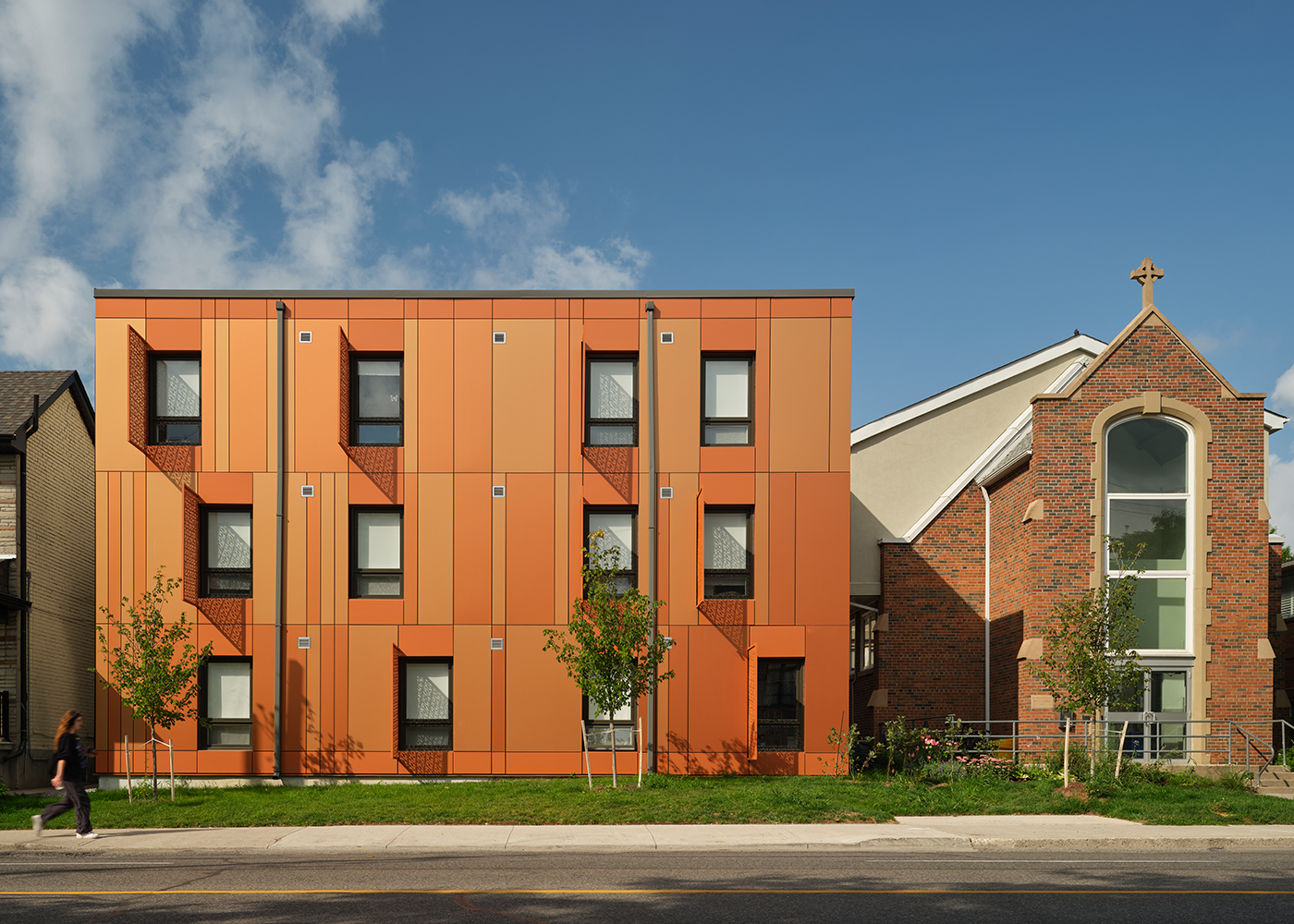
Toronto, ON · Supportive Housing
A 25-unit supportive housing development designed for a constrained urban site beside an existing church.
Explore Project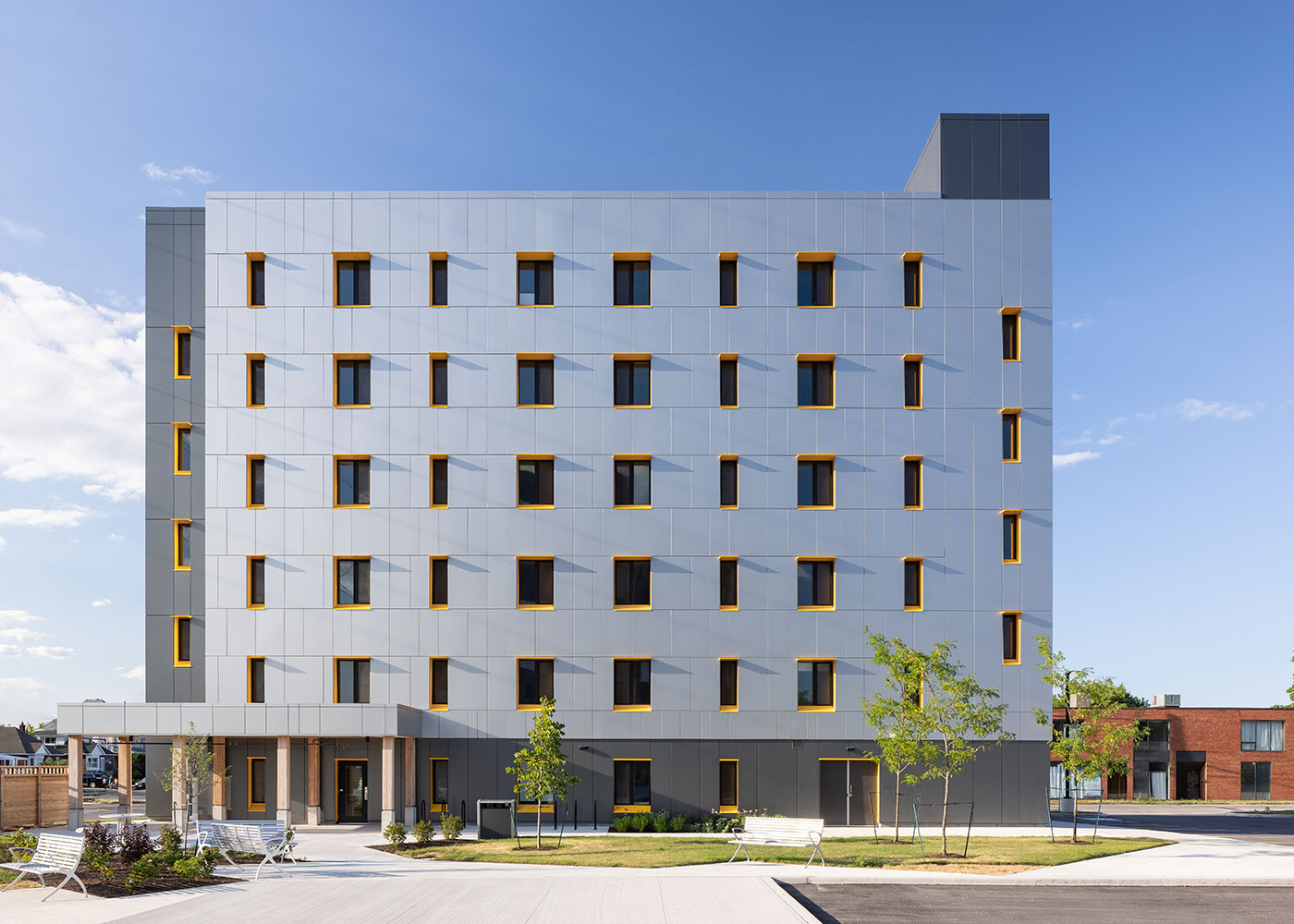
Hamilton, ON · Affordable Housing
42 affordable homes for CityHousing Hamilton in a six-storey, 28,500 sq. ft. mass timber building.
Explore Project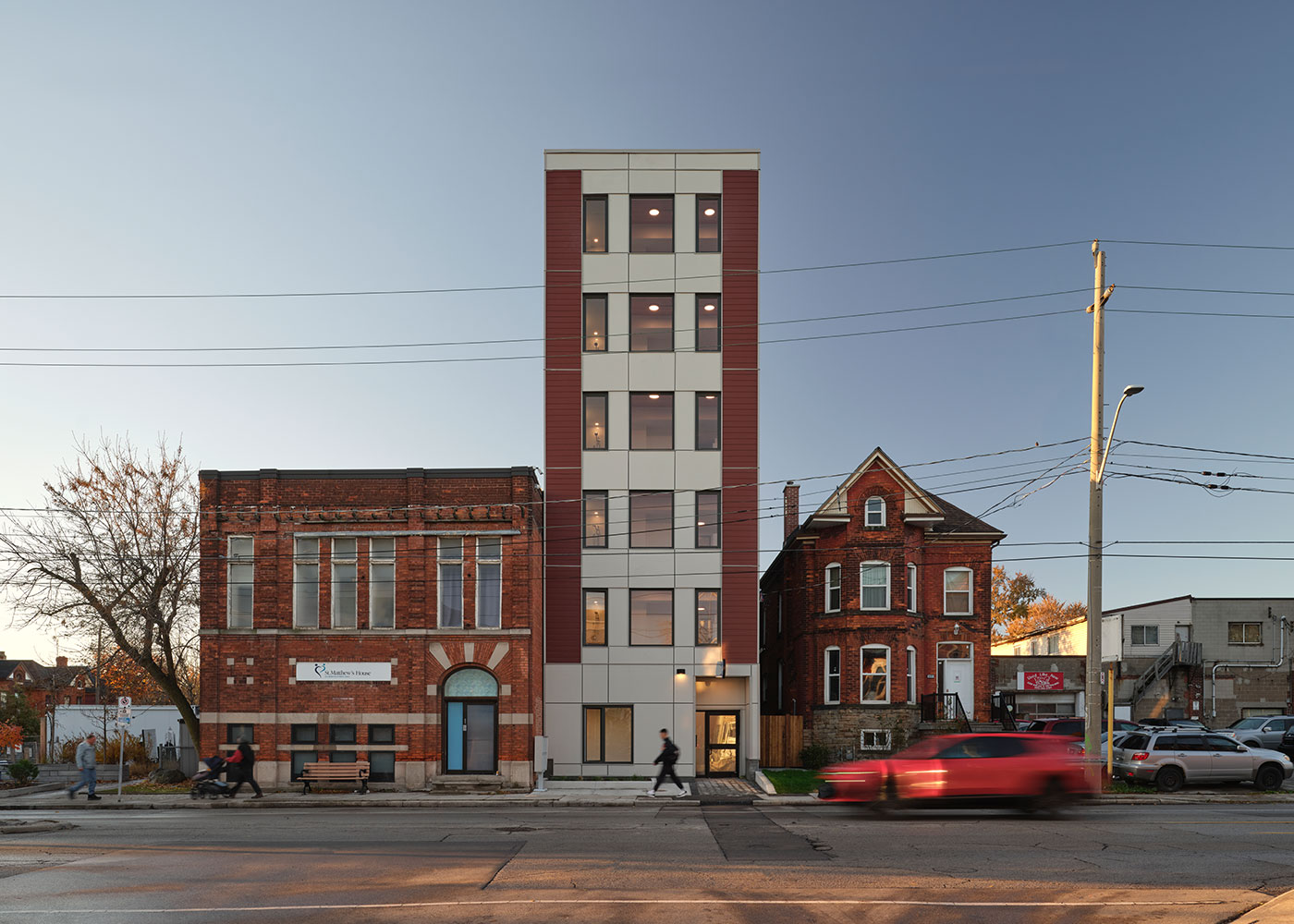
Hamilton, ON · Transitional Affordable and Supportive Housing
A 9,996 sq. ft. housing project designed for a narrow, 6.5-metre-wide urban site with a zero-lot-line condition.
Explore Project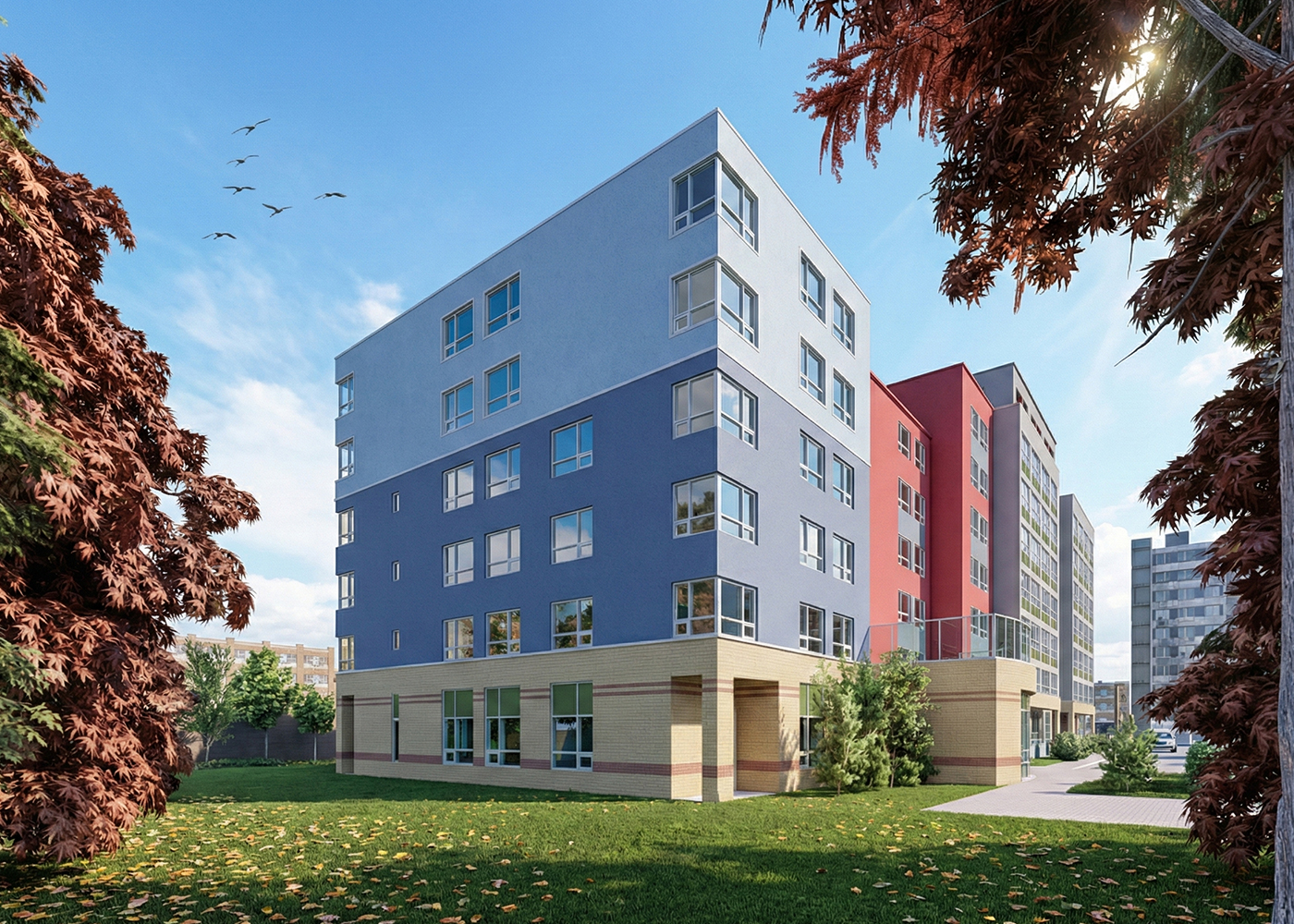
Mississauga, ON · Affordable Rental / Community Housing
Six new accessible homes added as a two-storey prefabricated mass timber addition above an existing 98-unit building.
Explore ProjectBefore you apply
Still evaluating a site or model? Contact us first to discuss what information is needed for your next step.
Discuss Your ProjectYou can begin an enquiry while your site, authorised signers or billing details are still being confirmed. HeadStart will need the required details before preparing your licence agreement.
Frequently asked questions
HeadStart Affordable is a coordinated design platform for organisations developing mid-rise housing using mass timber and hybrid building systems. It provides a licensed design starting point that local architects and engineers adapt to the project’s site, requirements and applicable codes.
Housing development organisations and their professional teams, such as non-profit and community housing providers, developers and their architects and engineers. It is not a rental listing or tenant application service.
A licence grants use of a HeadStart design package for one licensed project. The included documents, file formats and permitted uses are confirmed in your selected package and licence agreement.
Yes. You can begin an enquiry while your site, authorised signers or billing details are still being confirmed. HeadStart will need the required details before preparing your licence agreement. The enquiry form asks for the site status and the province or state and country.
Yes. You can begin an enquiry while your site, authorised signers or billing details are still being confirmed. HeadStart will need the required details before preparing your licence agreement.
Yes. The package is a starting point that your local architects and engineers review and adapt to your site, requirements and applicable codes.
No. The drawings must be reviewed, adapted and certified by qualified local professionals for your site before they are used for permit or construction. Confirm the required professional services and approvals with your project team.
Yes. The proposed site forms part of the application and licence details. Discuss additional sites or changes with HeadStart before using the documents elsewhere.
Pricing is not set by submitting an enquiry. HeadStart confirms the licence fee and terms in your licence agreement before payment is requested.
Access follows a signed agreement, verified payment, package preparation and HeadStart’s release checks. Files are released through the secure Licensing Portal, not as an instant download. The team will confirm timing for your transaction.
A licence watermark identifies the licensed organisation and project on the released files. It does not replace review, adaptation or certification by qualified professionals, which your project team provides.
No. Submitting an enquiry begins HeadStart’s review. The licence terms and price are confirmed in the agreement before payment is requested.
Yes. Sign in to your account to return to your saved application.
No. The concept sketch and construction sequence are illustrative project references, not technical drawing samples. Ask HeadStart about approved document samples.
Yes. Use ‘Discuss Your Project’ to contact the HeadStart team, or start an enquiry from the application page.
Ready to begin? Start a licence enquiry or discuss your project with HeadStart.
Tell us about your organisation and proposed site. We’ll review your application and help clarify the path to a licensed drawing package.
Already have an account? Sign in